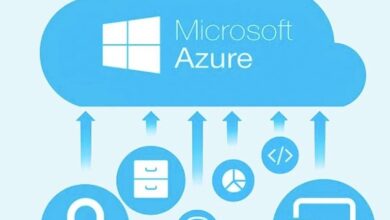
Imagine orchestrating complex data workflows across cloud and on-premises systems without writing a single line of code. That’s the magic of Azure Data Factory—Microsoft’s cloud-based data integration service that’s transforming how businesses move, transform, and automate their data pipelines.





What Is Azure Data Factory and Why It Matters

Azure Data Factory (ADF) is a fully managed, cloud-native data integration service provided by Microsoft Azure. It enables organizations to create data-driven workflows for orchestrating and automating data movement and data transformation processes. Whether you’re pulling data from on-premises databases, cloud applications, or IoT devices, ADF acts as the central nervous system of your data ecosystem.
Unlike traditional ETL (Extract, Transform, Load) tools that require heavy infrastructure and manual scripting, Azure Data Factory operates on a serverless architecture. This means you don’t have to manage any underlying servers or worry about scalability. It automatically scales based on workload demands, making it ideal for enterprises dealing with fluctuating data volumes.
One of the key reasons ADF has gained widespread adoption is its deep integration with the broader Microsoft Azure ecosystem. It seamlessly connects with services like Azure Blob Storage, Azure SQL Database, Azure Synapse Analytics, and Power BI, enabling end-to-end data solutions without the need for third-party tools.
Core Components of Azure Data Factory
Understanding the building blocks of Azure Data Factory is essential to leveraging its full potential. The service is built around several core components that work together to create, execute, and monitor data pipelines.
- Pipelines: A logical grouping of activities that perform a specific task, such as copying data or running a transformation.
- Activities: Individual tasks within a pipeline, such as data copy, execution of stored procedures, or invoking Azure Functions.
- Datasets: Pointers to the data you want to use in your activities, specifying the structure and location (e.g., a table in SQL Database or a file in Blob Storage).
- Linked Services: Connection strings or authentication mechanisms that link ADF to external data sources or compute resources.
These components are orchestrated through the Azure portal, where you can visually design your workflows using a drag-and-drop interface. This low-code approach significantly reduces development time and makes ADF accessible to both developers and data engineers.
Use Cases for Azure Data Factory
Azure Data Factory isn’t just for large enterprises. Its flexibility makes it suitable for a wide range of scenarios, including:
- Cloud Migration: Moving data from on-premises systems to Azure during cloud adoption initiatives.
- Data Warehousing: Ingesting and preparing data for loading into Azure Synapse Analytics or other data warehouses.
- Real-Time Analytics: Streaming data from IoT devices or applications into analytics platforms for immediate insights.
- Backup and Archival: Automating the periodic transfer of data to low-cost storage like Azure Data Lake for long-term retention.
For example, a retail company might use Azure Data Factory to pull daily sales data from multiple point-of-sale systems, transform it into a standardized format, and load it into a data warehouse for reporting. This entire process can be automated to run every night, ensuring fresh data is always available for business intelligence dashboards.
“Azure Data Factory allows us to integrate data from over 90 different sources without writing custom connectors. It’s been a game-changer for our analytics team.” — Senior Data Engineer at a Fortune 500 company
How Azure Data Factory Simplifies ETL Processes
Traditional ETL processes are often cumbersome, requiring significant coding, infrastructure management, and manual intervention. Azure Data Factory revolutionizes this by offering a code-free, visual interface for building ETL (Extract, Transform, Load) workflows. This shift not only accelerates development but also reduces the risk of errors.
With ADF, you can extract data from virtually any source—be it SQL Server, Salesforce, Amazon S3, or even Excel files stored in SharePoint. The service supports over 100 built-in connectors, eliminating the need to write custom integration code. Once data is extracted, it can be transformed using various compute services like Azure Databricks, HDInsight, or SQL Server Integration Services (SSIS).
The loading phase is equally flexible. You can load transformed data into data lakes, data warehouses, or operational databases, depending on your business needs. All of this is orchestrated within a single pipeline, which can be scheduled to run at specific intervals or triggered by events like file uploads or API calls.
Visual Pipeline Design with the ADF UI
The Azure Data Factory portal provides a powerful graphical interface for designing pipelines. You can drag and drop activities onto a canvas, configure their properties, and connect them to form a workflow. This visual approach makes it easy to understand the flow of data and troubleshoot issues.
For instance, you can start with a ‘Copy Data’ activity to move data from an on-premises SQL Server to Azure Blob Storage. Then, add a ‘Data Flow’ activity to clean and enrich the data using Spark-based transformations. Finally, use a ‘Stored Procedure’ activity to load the results into an Azure SQL Database. Each step is represented as a node in the pipeline, making the entire process transparent and manageable.
The UI also supports version control through integration with Azure Repos (Git), allowing teams to collaborate on pipeline development, track changes, and roll back to previous versions if needed.
Code-Based Development with Azure Data Factory SDKs
While the visual interface is ideal for many users, developers who prefer programmatic control can use Azure Data Factory SDKs available in .NET, Python, and PowerShell. These SDKs allow you to create, update, and manage pipelines using code, enabling automation of ADF resource deployment as part of CI/CD pipelines.
For example, you can write a Python script that reads pipeline configurations from a JSON file and deploys them to your Azure environment. This approach is particularly useful in DevOps scenarios where infrastructure as code (IaC) principles are applied to data integration workflows.
Additionally, ADF supports ARM (Azure Resource Manager) templates, which let you define your entire ADF setup—including linked services, datasets, and pipelines—as JSON templates. These can be deployed using Azure CLI or Azure PowerShell, ensuring consistency across development, testing, and production environments.
Key Features That Make Azure Data Factory Powerful
Azure Data Factory stands out in the crowded data integration market due to its rich feature set. These features not only enhance functionality but also improve reliability, scalability, and ease of use.
One of the most compelling aspects of ADF is its ability to handle both batch and streaming data. While many integration tools focus solely on batch processing, ADF supports event-driven architectures through triggers and supports near real-time data ingestion via integration with Azure Event Hubs and Azure Stream Analytics.
Another standout feature is its support for hybrid data scenarios. Using the Self-Hosted Integration Runtime, ADF can securely access data from on-premises systems without exposing them to the public internet. This is crucial for organizations that have legacy systems they can’t move to the cloud immediately.
Serverless Architecture and Auto-Scaling
Azure Data Factory operates on a serverless model, meaning you don’t have to provision or manage any virtual machines or clusters. When a pipeline runs, ADF automatically allocates the necessary compute resources to execute the activities.
This serverless nature translates into cost efficiency—you only pay for what you use. There’s no need to maintain idle servers or over-provision capacity. Moreover, ADF automatically scales out to handle large data volumes. For example, if you’re copying terabytes of data, ADF can split the workload into multiple parallel streams to speed up the process.
The auto-scaling capability is especially beneficial during peak loads, such as end-of-month reporting or Black Friday sales events, where data processing demands spike temporarily.
Built-in Monitoring and Alerting
Monitoring is a critical aspect of any data pipeline. Azure Data Factory provides comprehensive monitoring tools through the Azure Monitor and the ADF portal itself. You can view pipeline run histories, track execution durations, and identify failed activities in real time.
ADF also supports alerting via Azure Monitor Alerts. You can set up notifications to be sent via email, SMS, or webhook when a pipeline fails or takes longer than expected to complete. This proactive monitoring ensures that data teams can respond quickly to issues before they impact downstream processes.
Additionally, ADF integrates with Azure Log Analytics, allowing you to query and analyze pipeline logs using Kusto queries. This is useful for auditing, compliance, and performance tuning.
“With Azure Data Factory’s monitoring tools, we reduced our mean time to detect (MTTD) pipeline failures by 70%.” — Cloud Operations Manager at a financial services firm
Integration with Other Azure Services
The true power of Azure Data Factory lies in its seamless integration with other Azure services. This interconnected ecosystem allows you to build end-to-end data solutions without leaving the Azure platform.
For example, you can use ADF to ingest raw data into Azure Data Lake Storage, then trigger an Azure Databricks notebook to perform advanced analytics or machine learning. Once the model is trained, ADF can orchestrate the deployment of predictions into an Azure SQL Database, which feeds a Power BI dashboard for business users.
This level of integration reduces data silos and ensures consistency across the data lifecycle. It also simplifies governance and security, as all components reside within the same Azure tenant and can leverage Azure Active Directory (AAD) for authentication and role-based access control (RBAC).
Connecting with Azure Synapse Analytics
Azure Synapse Analytics (formerly SQL Data Warehouse) is a limitless analytics service that combines data integration, enterprise data warehousing, and big data analytics. Azure Data Factory is the default data ingestion tool for Synapse, making it easy to load data into dedicated SQL pools or serverless SQL pools.
You can use ADF to perform ELT (Extract, Load, Transform) processes where raw data is loaded directly into Synapse, and transformations are performed using T-SQL or Spark. This approach leverages Synapse’s powerful compute engine for heavy lifting, while ADF handles the orchestration.
Synapse pipelines also integrate directly with ADF, allowing you to call ADF pipelines from within Synapse or vice versa. This bidirectional integration enables complex workflows that span multiple services.
Leveraging Azure Databricks for Advanced Transformations
For organizations needing advanced data transformations, machine learning, or real-time analytics, Azure Databricks is a natural companion to Azure Data Factory. ADF can invoke Databricks notebooks or JAR files as part of a pipeline, passing parameters and waiting for completion.
This integration is particularly useful for data science teams that want to operationalize their models. For example, a data scientist can develop a fraud detection model in a Databricks notebook, and ADF can schedule the notebook to run daily, feeding the results into a transaction monitoring system.
The combination of ADF’s orchestration capabilities and Databricks’ compute power creates a robust platform for modern data engineering and analytics.
Security and Compliance in Azure Data Factory
In today’s regulatory environment, security and compliance are non-negotiable. Azure Data Factory is built with enterprise-grade security features that protect data at rest and in transit.
All data transferred between ADF and linked services is encrypted using TLS 1.2 or higher. Data at rest in ADF-managed storage is encrypted using Azure Storage Service Encryption (SSE) with keys managed by Microsoft or customer-managed keys (CMK) via Azure Key Vault.
ADF also supports private endpoints, allowing you to restrict network access to your data factory from public networks. This is especially important for organizations in highly regulated industries like healthcare and finance.
Role-Based Access Control (RBAC)
Azure Data Factory integrates with Azure Active Directory (AAD) to provide fine-grained access control. You can assign roles such as Data Factory Contributor, Data Reader, or Custom Roles to users and groups based on their responsibilities.
For example, a data engineer might have Contributor access to create and modify pipelines, while a business analyst might have Reader access to view pipeline runs but not make changes. This principle of least privilege enhances security and reduces the risk of accidental or malicious modifications.
You can also use Azure Policy to enforce organizational standards, such as requiring all data factories to use private endpoints or disabling public network access.
Data Residency and Compliance Certifications
Microsoft Azure complies with a wide range of international and industry-specific standards, including GDPR, HIPAA, ISO 27001, and SOC 1/2/3. Azure Data Factory inherits these compliance certifications, making it easier for organizations to meet regulatory requirements.
Data residency is another critical consideration. ADF allows you to specify the Azure region where your data factory is deployed, ensuring that data remains within geographic boundaries as required by law. While ADF itself doesn’t store customer data, the services it connects to (like Blob Storage or SQL Database) can be configured to comply with data sovereignty rules.
“We chose Azure Data Factory because it meets our strict compliance requirements for handling patient data under HIPAA.” — CIO at a healthcare provider
Best Practices for Using Azure Data Factory
To get the most out of Azure Data Factory, it’s important to follow best practices that ensure performance, reliability, and maintainability.
One key practice is to modularize your pipelines. Instead of creating monolithic pipelines with dozens of activities, break them into smaller, reusable components. For example, create a generic ‘Copy Data’ pipeline that accepts source and destination parameters, and reuse it across projects. This reduces duplication and makes updates easier.
Another best practice is to implement error handling and retry logic. ADF allows you to configure retry policies for activities, so transient failures (like network timeouts) don’t cause pipeline failures. You can also use the ‘Execute Pipeline’ activity to call error-handling sub-pipelines when something goes wrong.
Optimizing Performance and Cost
Performance optimization in ADF often involves tuning the Copy Activity. You can improve throughput by increasing the number of parallel copies, using compression, or enabling staging (using Azure Blob Storage as an intermediate layer for large data transfers).
Cost optimization is equally important. Since ADF charges based on the number of pipeline runs, data movement, and data integration units (DIUs), you should monitor usage and adjust configurations accordingly. For example, using a lower DIU count for small jobs can save costs, while scaling up for large batches ensures timely completion.
Also, consider using scheduled triggers instead of tumbling window triggers when you don’t need dependency-based scheduling, as they are simpler and less resource-intensive.
Version Control and CI/CD Integration
Treat your ADF pipelines like code. Use Git integration to enable version control, collaboration, and audit trails. Azure Data Factory supports both Azure Repos and GitHub, allowing you to connect your factory to a repository and automatically publish changes.
For continuous integration and deployment (CI/CD), use Azure DevOps or GitHub Actions to automate the deployment of ADF resources across environments. This ensures that your development, testing, and production factories stay in sync and reduces the risk of manual errors.
You can also use ARM templates or the ADF publishing mechanism to promote pipelines from one environment to another, maintaining consistency and enabling rollback if needed.
Common Challenges and How to Overcome Them
While Azure Data Factory is powerful, users often face challenges during implementation. Being aware of these pitfalls and knowing how to address them can save time and frustration.
One common issue is debugging complex pipelines. When a pipeline fails, it can be difficult to pinpoint the exact cause, especially if it involves multiple activities and dependencies. To overcome this, use the ‘Monitoring’ tab in the ADF portal to drill down into activity runs, view error messages, and access logs.
Another challenge is managing dependencies between pipelines. If Pipeline B depends on the output of Pipeline A, you need to ensure proper sequencing. ADF’s ‘Trigger’ and ‘Wait’ activities can help manage these dependencies, but overuse can lead to complexity. Instead, consider using event-based triggers or dependency chains to keep workflows clean.
Handling Large Volumes of Data
When dealing with petabytes of data, performance can become a bottleneck. To handle large volumes efficiently, use the following strategies:
- Enable staging in copy activities to offload transformation from the source.
- Use partitioning to split large datasets into smaller chunks for parallel processing.
- Leverage Azure Data Lake Storage Gen2 for high-throughput, low-latency access.
Also, monitor your Data Integration Units (DIUs) and scale them up during peak loads to maintain performance.
Managing On-Premises Data Sources
Connecting to on-premises systems via the Self-Hosted Integration Runtime can sometimes lead to connectivity issues. To ensure reliability:
- Install the integration runtime on a dedicated machine with sufficient resources.
- Keep the runtime updated to the latest version.
- Configure firewall rules to allow outbound traffic to Azure service endpoints.
You can also deploy multiple instances of the runtime for high availability and load balancing.
What is Azure Data Factory used for?
Azure Data Factory is used for orchestrating and automating data movement and transformation workflows in the cloud. It’s commonly used for ETL/ELT processes, data migration, data warehousing, and integrating data from multiple sources into analytics platforms. Learn more at Microsoft’s official ADF documentation.
Is Azure Data Factory serverless?
Yes, Azure Data Factory is a serverless service. It automatically manages the underlying infrastructure, scales based on workload, and you only pay for the resources you consume during pipeline execution.
How much does Azure Data Factory cost?
Azure Data Factory pricing is based on pipeline runs, data movement, and data integration units (DIUs). There is a free tier with limited usage, and pay-as-you-go pricing for production workloads. Detailed pricing can be found on the Azure Data Factory pricing page.
Can Azure Data Factory replace SSIS?
Yes, Azure Data Factory can replace many SSIS workloads, especially through its SSIS Integration Runtime, which allows you to lift and shift existing SSIS packages to the cloud. However, for complex transformations, you may still need to refactor logic into data flows or Azure Databricks.
How do I monitor pipelines in Azure Data Factory?
You can monitor pipelines using the Monitoring hub in the ADF portal, Azure Monitor, or Log Analytics. These tools provide real-time insights into pipeline execution, error tracking, and performance metrics.
Azure Data Factory is more than just a data integration tool—it’s a comprehensive platform for building scalable, secure, and automated data pipelines in the cloud. From its intuitive visual designer to its deep integration with Azure services, ADF empowers organizations to unlock the full value of their data. By following best practices and leveraging its powerful features, you can streamline ETL processes, ensure compliance, and drive data-driven decision-making across your enterprise.
Recommended for you 👇
Further Reading: