Welcome to the future of software delivery! Azure and DevOps aren’t just buzzwords—they’re a dynamic duo transforming how teams build, test, and deploy applications at lightning speed. In this deep dive, we’ll explore how integrating Azure and DevOps unlocks agility, reliability, and scalability like never before.
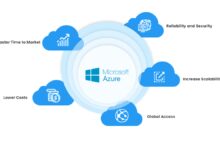
Understanding Azure and DevOps: The Foundation of Modern Development

Before diving into advanced strategies, it’s essential to grasp what Azure and DevOps truly mean and how they complement each other in today’s fast-paced tech landscape. Microsoft Azure, a leading cloud computing platform, provides the infrastructure and services needed to run applications at scale. On the other hand, DevOps is a cultural and technical movement focused on breaking down silos between development and operations teams to accelerate software delivery.
What Is Microsoft Azure?
Microsoft Azure is a comprehensive cloud platform offering over 200 services, including computing, storage, networking, databases, AI, and IoT. It enables organizations to build, deploy, and manage applications across a global network of data centers. Azure supports multiple programming languages, tools, and frameworks—both Microsoft-specific and third-party—making it highly flexible for diverse development needs.
- Compute services like Virtual Machines, Azure App Services, and Kubernetes (AKS)
- Storage solutions such as Blob Storage, Disk Storage, and Data Lake
- Security and identity management via Azure Active Directory and Key Vault
Azure’s pay-as-you-go model ensures cost efficiency, while its integration with existing Microsoft tools like Visual Studio and Teams makes it a natural choice for enterprises already in the Microsoft ecosystem. For more details, visit the official Azure overview page.
What Is DevOps?
DevOps is not a tool or a job title—it’s a philosophy that emphasizes collaboration, automation, continuous integration, and continuous delivery (CI/CD). The goal is to shorten the development lifecycle while delivering high-quality software frequently and reliably. Key practices include infrastructure as code (IaC), automated testing, monitoring, and feedback loops.
- Emphasizes collaboration between developers and IT operations
- Relies heavily on automation to reduce manual errors and speed up processes
- Uses metrics and monitoring to ensure system health and performance
“DevOps is about creating a culture where building, testing, and releasing software can happen rapidly, frequently, and more reliably.” — Jez Humble, co-author of Continuous Delivery
When combined with Azure, DevOps becomes even more powerful, enabling teams to automate deployments, scale environments dynamically, and maintain robust security and compliance standards.
Why Azure and DevOps Are a Perfect Match
The synergy between Azure and DevOps is undeniable. Azure provides the scalable, secure, and flexible environment that DevOps teams need to thrive, while DevOps practices maximize the value extracted from Azure’s capabilities. This combination empowers organizations to innovate faster without compromising stability or security.
Seamless Integration with Azure DevOps Services
Azure DevOps is a suite of services designed specifically to support DevOps workflows. It includes tools for project management, source control, CI/CD pipelines, testing, and artifact management. These services integrate natively with Azure, allowing developers to build pipelines that automatically deploy code to Azure environments.
- Azure Repos for Git-based version control
- Azure Pipelines for CI/CD with support for multi-platform builds
- Azure Boards for agile project planning and tracking
- Azure Test Plans for manual and automated testing
- Azure Artifacts for managing packages like npm, Maven, and NuGet
With Azure Pipelines, you can deploy applications to any platform—whether it’s Azure, AWS, Google Cloud, or on-premises servers. This flexibility makes Azure and DevOps an ideal choice for hybrid and multi-cloud strategies. Learn more at Azure DevOps official site.
Scalability and Elasticity with Azure Infrastructure
One of the biggest advantages of using Azure and DevOps together is the ability to scale resources on demand. Whether you’re handling a sudden spike in traffic or preparing for a product launch, Azure allows you to automatically scale compute, storage, and networking resources.
- Auto-scaling groups adjust VM instances based on load
- Serverless options like Azure Functions eliminate infrastructure management
- AKS (Azure Kubernetes Service) enables container orchestration at scale
DevOps pipelines can be configured to trigger scaling operations or deploy new container images seamlessly, ensuring that application performance remains consistent under varying loads.
Setting Up Your First Azure and DevOps Pipeline
Creating your first CI/CD pipeline using Azure and DevOps is a pivotal step toward modernizing your software delivery process. This section walks you through the essential steps to set up a fully automated pipeline that builds, tests, and deploys a sample application to Azure.
Step 1: Create an Azure DevOps Organization and Project
To get started, sign in to Azure DevOps and create a new organization. An organization acts as a container for your projects, allowing you to manage access, billing, and settings centrally. Once your organization is created, set up a new project to house your code, pipelines, and work items.
- Choose a project name and description
- Select visibility (public or private)
- Enable version control (Git is recommended)
- Include Azure Boards, Pipelines, and Repos as needed
You can also import existing repositories or connect to external ones like GitHub.
Step 2: Connect Your Code Repository
After setting up your project, push your application code to Azure Repos or connect an external repository. If you’re using GitHub, Azure Pipelines can trigger builds whenever changes are pushed to specific branches.
- Use Git commands to clone and push code
- Set up branch policies to enforce code reviews
- Enable pull request validation to run automated tests before merging
This ensures that only tested and approved code enters the main branch, reducing the risk of introducing bugs.
Step 3: Configure a CI/CD Pipeline
Navigate to the Pipelines section in Azure DevOps and create a new pipeline. You can choose to use YAML configuration files (recommended for version control and reusability) or the classic editor (GUI-based).
- Select your repository source (Azure Repos, GitHub, etc.)
- Choose a starter template (e.g., ASP.NET, Node.js, Python)
- Customize the pipeline stages: build, test, deploy
- Specify deployment targets (e.g., Azure App Service, VM, AKS)
Here’s a simple example of a YAML pipeline for a Node.js app:
trigger:
  - main

pool:
  vmImage: 'ubuntu-latest'

steps:
- task: NodeTool@0
  inputs:
    versionSpec: '16.x'
  displayName: 'Install Node.js'

- script: |
    npm install
    npm run build
    npm test
  displayName: 'npm install, build, and test'

- task: AzureRmWebAppDeployment@4
  inputs:
    ConnectionType: 'AzureRM'
    azureSubscription: 'your-subscription'
    appType: 'webApp'
    WebAppName: 'your-app-name'
    packageForLinux: '$(System.DefaultWorkingDirectory)/**/dist'
  displayName: 'Deploy to Azure App Service'
Once saved, this pipeline will automatically run every time code is pushed to the main branch, ensuring rapid feedback and deployment.
Infrastructure as Code with Azure and DevOps
One of the most transformative practices in modern DevOps is Infrastructure as Code (IaC). With IaC, infrastructure provisioning is automated using code, making it repeatable, version-controlled, and auditable. When combined with Azure and DevOps, IaC enables teams to manage complex environments with precision and speed.
Using ARM Templates and Bicep
Azure Resource Manager (ARM) templates are JSON-based files that define the infrastructure and configuration for your Azure resources. They allow you to declaratively specify what resources are needed, such as virtual networks, storage accounts, and web apps.
- Deploy entire environments with a single command
- Ensure consistency across development, staging, and production
- Roll back changes easily using version control
Bicep, a newer domain-specific language (DSL) from Microsoft, simplifies ARM template authoring with a cleaner syntax and better modularity. Bicep files are transpiled into ARM templates during deployment.
“Bicep makes infrastructure as code more approachable and maintainable, especially for teams new to Azure.” — Microsoft Azure Documentation
You can integrate Bicep deployments into your Azure Pipelines by adding a task that runs az deployment group create using the Azure CLI.
Managing IaC in CI/CD Pipelines
To fully leverage IaC, it should be part of your CI/CD pipeline. This means that infrastructure changes go through the same review, testing, and approval processes as application code.
- Store Bicep or ARM templates in the same repository as your app (monorepo) or in a dedicated infra repo
- Use pipeline stages to deploy to different environments (dev → staging → prod)
- Implement approval gates before deploying to production
- Run pre-deployment validation scripts to check for policy compliance
This approach reduces the risk of configuration drift and ensures that your infrastructure evolves in a controlled, auditable manner.
Monitoring and Feedback Loops in Azure and DevOps
A successful DevOps strategy doesn’t end with deployment—it continues with monitoring, logging, and feedback. Azure provides powerful observability tools that help teams detect issues early, understand system behavior, and improve performance over time.
Leveraging Azure Monitor and Application Insights
Azure Monitor is a comprehensive solution for collecting, analyzing, and acting on telemetry data from cloud and on-premises environments. Application Insights, a feature of Azure Monitor, is specifically designed for monitoring web applications.
- Track request rates, response times, and failure rates
- Monitor dependencies like databases and APIs
- Set up alerts for anomalies or threshold breaches
- Visualize data using dashboards and workbooks
By integrating Application Insights into your application, you can gain real-time insights into user behavior and performance bottlenecks. This data can be fed back into your DevOps process to prioritize fixes and improvements.
Creating Feedback Loops with Azure DevOps Dashboards
Azure DevOps includes built-in dashboards that allow teams to visualize key metrics such as build success rates, deployment frequency, lead time for changes, and mean time to recovery (MTTR).
- Customize widgets to show pipeline status, test results, and code coverage
- Share dashboards across teams for transparency
- Integrate with Power BI for advanced reporting
- Use REST APIs to pull data into external monitoring tools
These feedback loops enable continuous improvement by making performance visible and actionable.
Security and Compliance in Azure and DevOps
Security is not an afterthought in DevOps—it’s embedded throughout the pipeline. Azure and DevOps provide robust tools and practices to ensure that applications are secure by design and compliant with industry standards.
Implementing DevSecOps Practices
DevSecOps extends DevOps by integrating security practices into every stage of the software lifecycle. This includes automated security scanning, vulnerability detection, and policy enforcement.
- Use Azure Security Center (now part of Microsoft Defender for Cloud) to assess and harden your environment
- Integrate SAST (Static Application Security Testing) tools like SonarQube or GitHub Code Scanning into your pipeline
- Scan container images in Azure Container Registry for known vulnerabilities
- Enforce security policies using Azure Policy and Open Policy Agent (OPA)
By shifting security left—i.e., addressing it earlier in the development process—teams can reduce risks and remediation costs.
Role-Based Access Control and Governance
Azure’s Role-Based Access Control (RBAC) allows fine-grained permissions management across resources. Combined with Azure DevOps’ security model, this ensures that only authorized personnel can make changes to critical systems.
- Assign roles like Owner, Contributor, and Reader based on responsibility
- Use service connections in pipelines with least-privilege principles
- Enable audit logs to track who made what changes and when
- Apply tagging and resource grouping for cost management and compliance
These governance mechanisms are essential for maintaining compliance with regulations like GDPR, HIPAA, and ISO 27001.
Advanced Scenarios: Multi-Environment and Multi-Cloud Deployments
As organizations grow, their deployment needs become more complex. Azure and DevOps support advanced scenarios such as multi-environment strategies (dev, test, staging, prod) and multi-cloud deployments, ensuring flexibility and resilience.
Managing Multiple Environments with Deployment Groups
Azure Pipelines supports deployment groups, which allow you to deploy applications to specific sets of machines or services. This is ideal for managing different environments with unique configurations.
- Define deployment stages for dev, QA, UAT, and production
- Use variables and variable groups to manage environment-specific settings
- Implement manual approvals before promoting to higher environments
- Enable deployment history and rollback capabilities
This structured approach minimizes the risk of configuration errors and ensures smooth transitions between environments.
Extending Azure and DevOps to Multi-Cloud Architectures
While Azure is a powerful platform, many organizations adopt a multi-cloud strategy to avoid vendor lock-in and leverage best-of-breed services. Azure and DevOps can seamlessly integrate with AWS, Google Cloud, and on-premises systems.
- Use Azure Pipelines to deploy to non-Azure targets via SSH, WinRM, or Kubernetes
- Leverage Terraform or Ansible for cross-cloud infrastructure management
- Centralize logging and monitoring using Azure Monitor or third-party tools like Datadog
- Manage secrets securely using Azure Key Vault or HashiCorp Vault
This flexibility makes Azure and DevOps a strategic choice for enterprises navigating hybrid and multi-cloud landscapes.
What is the difference between Azure and Azure DevOps?
Azure is a cloud computing platform that provides infrastructure and services like virtual machines, storage, and databases. Azure DevOps, on the other hand, is a set of development tools for managing code, CI/CD pipelines, testing, and project tracking. While Azure hosts applications, Azure DevOps helps build and deploy them.
How do I get started with Azure and DevOps?
Start by creating a free account on Azure and Azure DevOps. Then, create a project, connect your code repository, and set up a CI/CD pipeline using the built-in templates. Microsoft offers extensive documentation and learning paths to guide beginners.
Can Azure DevOps deploy to non-Azure platforms?
Yes, Azure DevOps can deploy to any platform, including AWS, Google Cloud, and on-premises servers. Azure Pipelines supports multi-platform agents and deployment tasks, making it a versatile choice for hybrid and multi-cloud environments.
Is infrastructure as code supported in Azure and DevOps?
Absolutely. Azure supports Infrastructure as Code through ARM templates and Bicep. These can be version-controlled and deployed via Azure Pipelines, enabling consistent, automated provisioning of resources across environments.
How does Azure and DevOps improve team collaboration?
Azure and DevOps enhance collaboration by providing shared tools for code management, task tracking, automated testing, and deployment. Features like pull requests, agile boards, and real-time dashboards ensure transparency and alignment across development, operations, and business teams.
In conclusion, Azure and DevOps represent a powerful convergence of cloud infrastructure and modern software delivery practices. By leveraging their combined capabilities—automated CI/CD pipelines, infrastructure as code, robust monitoring, and strong security controls—teams can achieve faster time-to-market, higher reliability, and greater operational efficiency. Whether you’re a startup or an enterprise, embracing Azure and DevOps is a strategic move toward building resilient, scalable, and innovative software solutions. The journey may require cultural shifts and technical upskilling, but the rewards in agility and competitiveness are well worth the effort.
Further Reading:
